Open beta · free to join right now

Inventory, warehouse & order management
— here's what you get when you sign up.

A guided tour of the six pages you'll spend your day on. No marketing screenshots — just the actual interface you'll see two minutes after you create your account.

01 / 06 Dashboard

The first thing you see, every morning.

Stat tiles for the numbers that matter, plus a feed of what just happened in your warehouse and stores.

Know the state of your business in one glance.

Total products, on-hand value, low-stock count, and orders today — pulled live from your real data. No setup.

  • Live stats for products, stock value, locations, and orders
  • Recent stock movements with who did what, when
  • Low-stock alerts surface to the top automatically
stockvpro · /dashboard

Dashboard

Today
Products
2,184
+24 this wk
On hand
€384k
+1.8%
Locations
5
3 WH · 2 stores
Orders
47
+12 vs yday
Recent stock movements
View all →
ProductTypeLocationQtyWhen
Olive oil 750mlReceivedWH-A+2408:14
Honey 500gTransferWH-A → S031210:32
Sea salt 1kgSoldStore #02-611:48
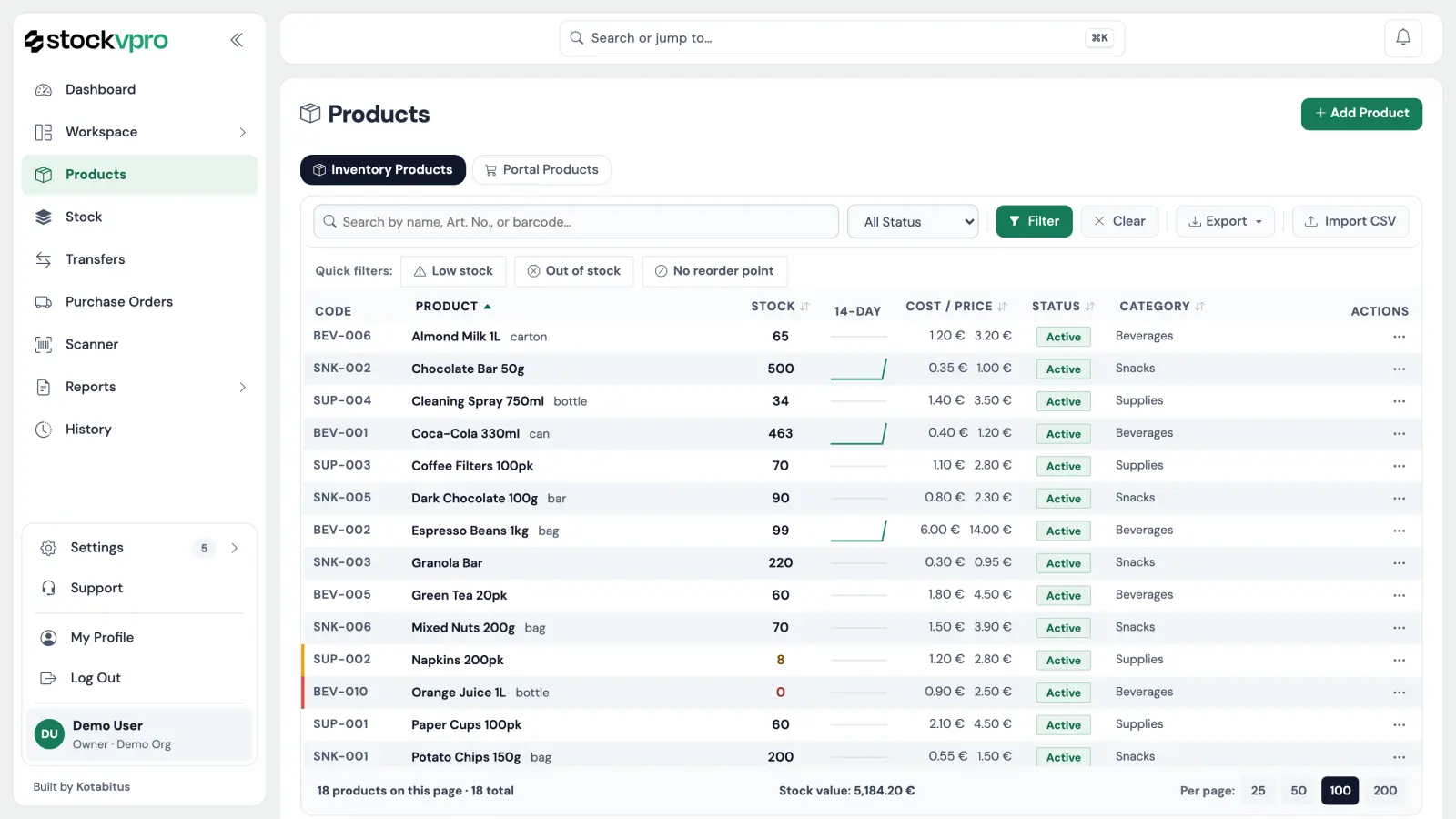
02 / 06 Products

Your catalog, in one tidy table.

Every SKU, with categories, article numbers, barcodes, suppliers, and a one-click route to print labels.

stockvpro · /products

Products

Import CSV Add product
ProductArticle #CategoryBarcodePrice
Olive oil 750mlSVP-00482Oils5201234000482€8.40
Sea salt 1kgSVP-00917Spices5201234000917€2.10
Honey 500gSVP-01203Sweets5201234001203€9.90
Pasta 500gSVP-01581Dry goods5201234001581€1.40
Oregano 50gSVP-01884Herbs5201234001884€3.20

Everything about a product, on one row.

Search, sort, filter, edit inline. Categories, barcodes, and suppliers are first-class — not buried in a tab.

  • Unlimited products, with article numbers and barcodes
  • Categories & suppliers built in
  • CSV import for bulk uploads from spreadsheets
  • Print shelf and product labels one click away
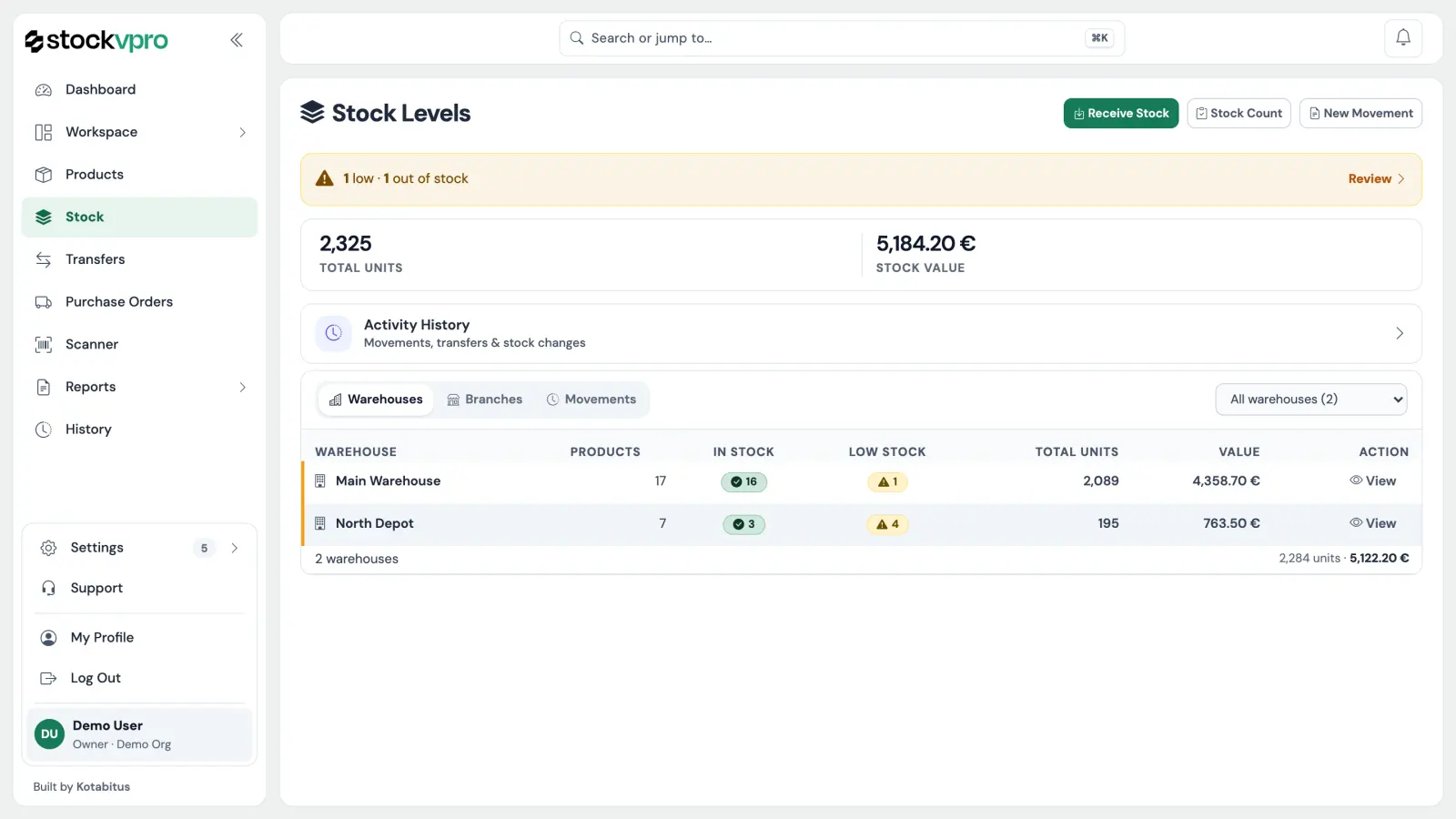
03 / 06 Stock

How much you have, and where it is.

One row per product, one column per location — the question your accountant always asks, answered automatically.

Multi-location stock without the headache.

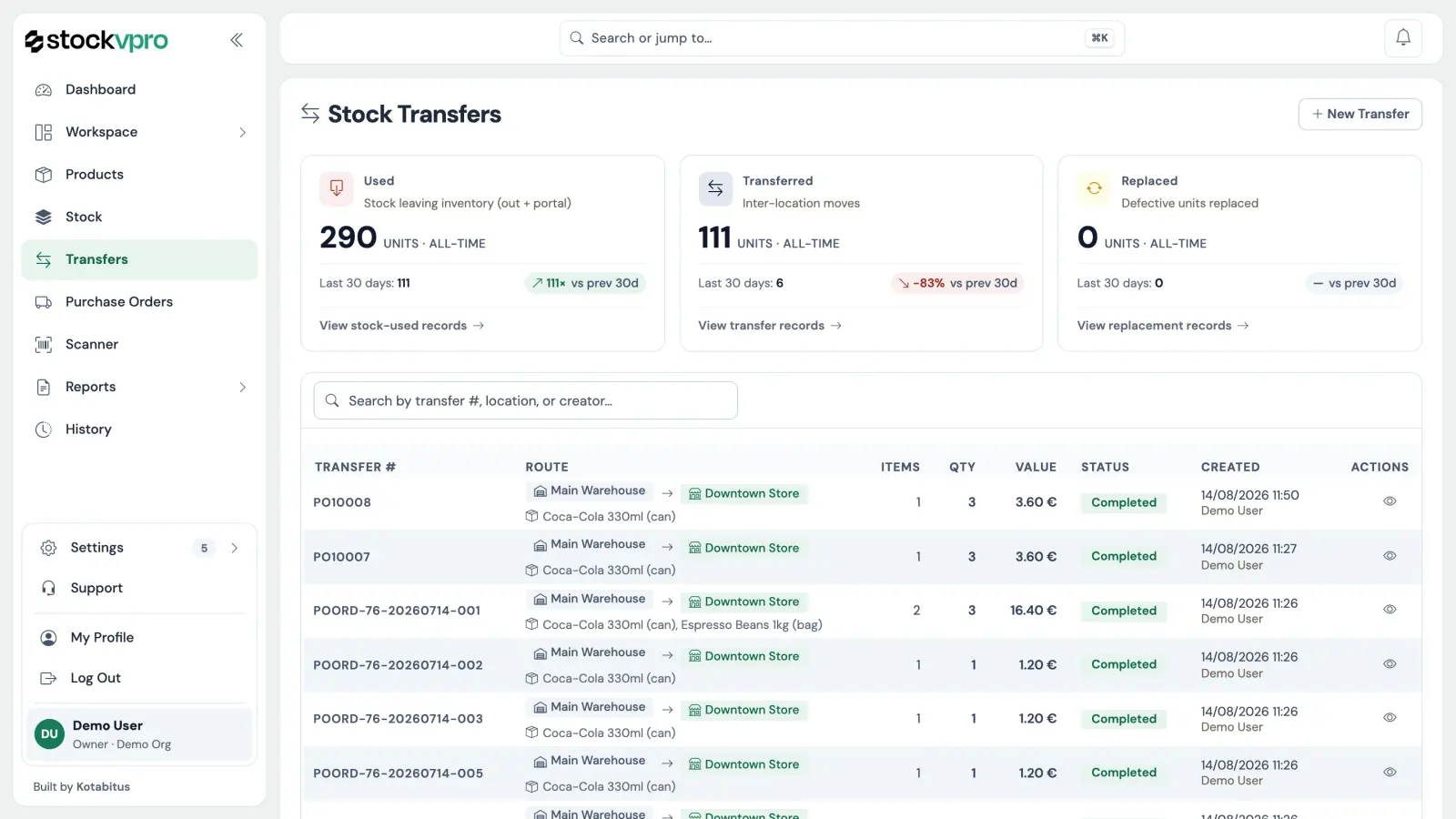
Add a warehouse or a store, and it shows up as a new column instantly. Move things between them with a transfer — both sides update at once.

  • Per-location stock with live totals across all sites
  • Auto-completing transfers between warehouses & stores
  • Low-stock and out-of-stock highlighted, sorted to the top
  • Full movement history per SKU, exportable to CSV/PDF
stockvpro · /stock

Stock by location

Filter New transfer
ProductWH-AWH-BStore #02Store #03Total
Olive oil 750ml
SVP-00482
12884128232
Sea salt 1kg
SVP-00917
146291196
Honey 500g
SVP-01203
24316263
Pasta 500g
SVP-01581
961042218240
Oregano 50g
SVP-01884
4238119100
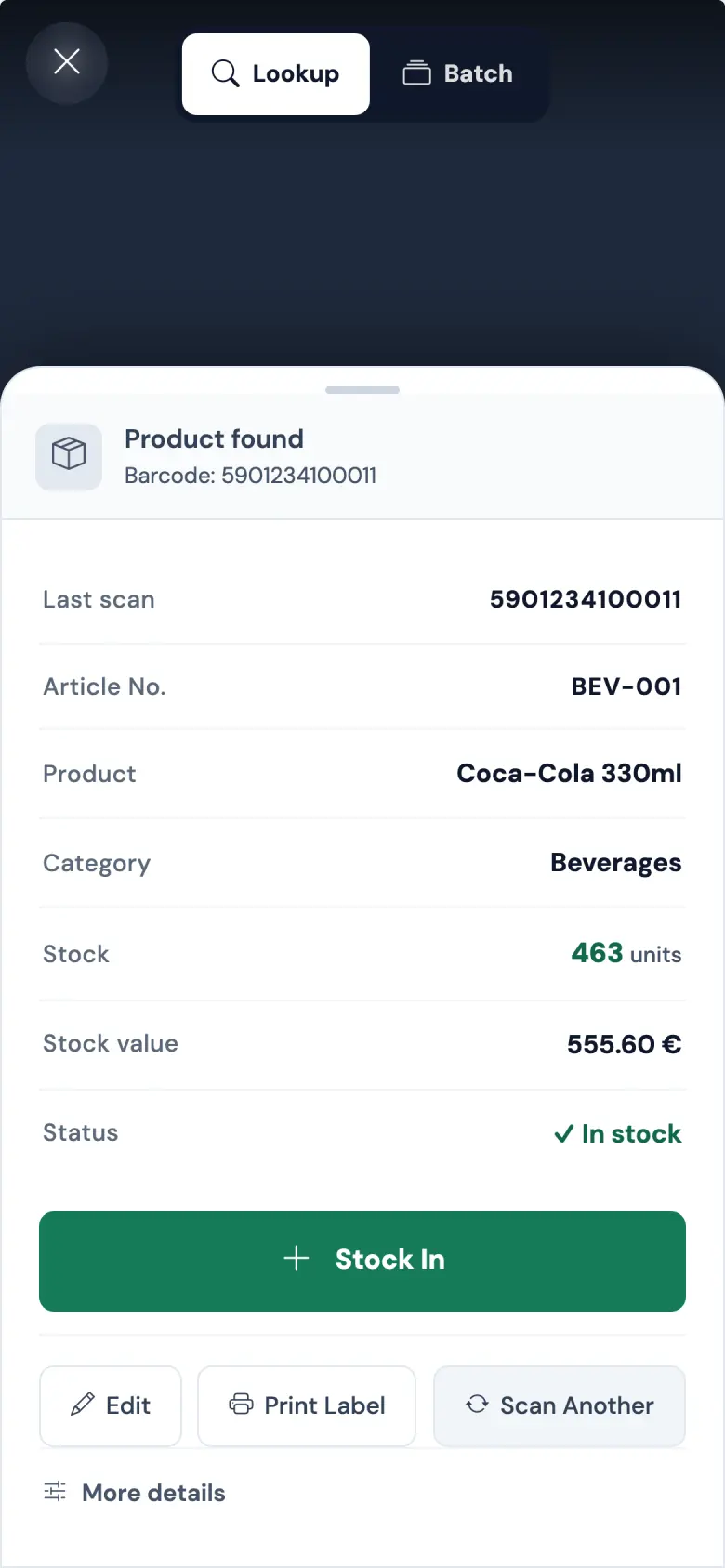
04 / 06 Scanner

Your phone is the inventory device.

Open the URL on any phone, point at a barcode, hear the beep. That's the whole training.

One device. Three workflows.

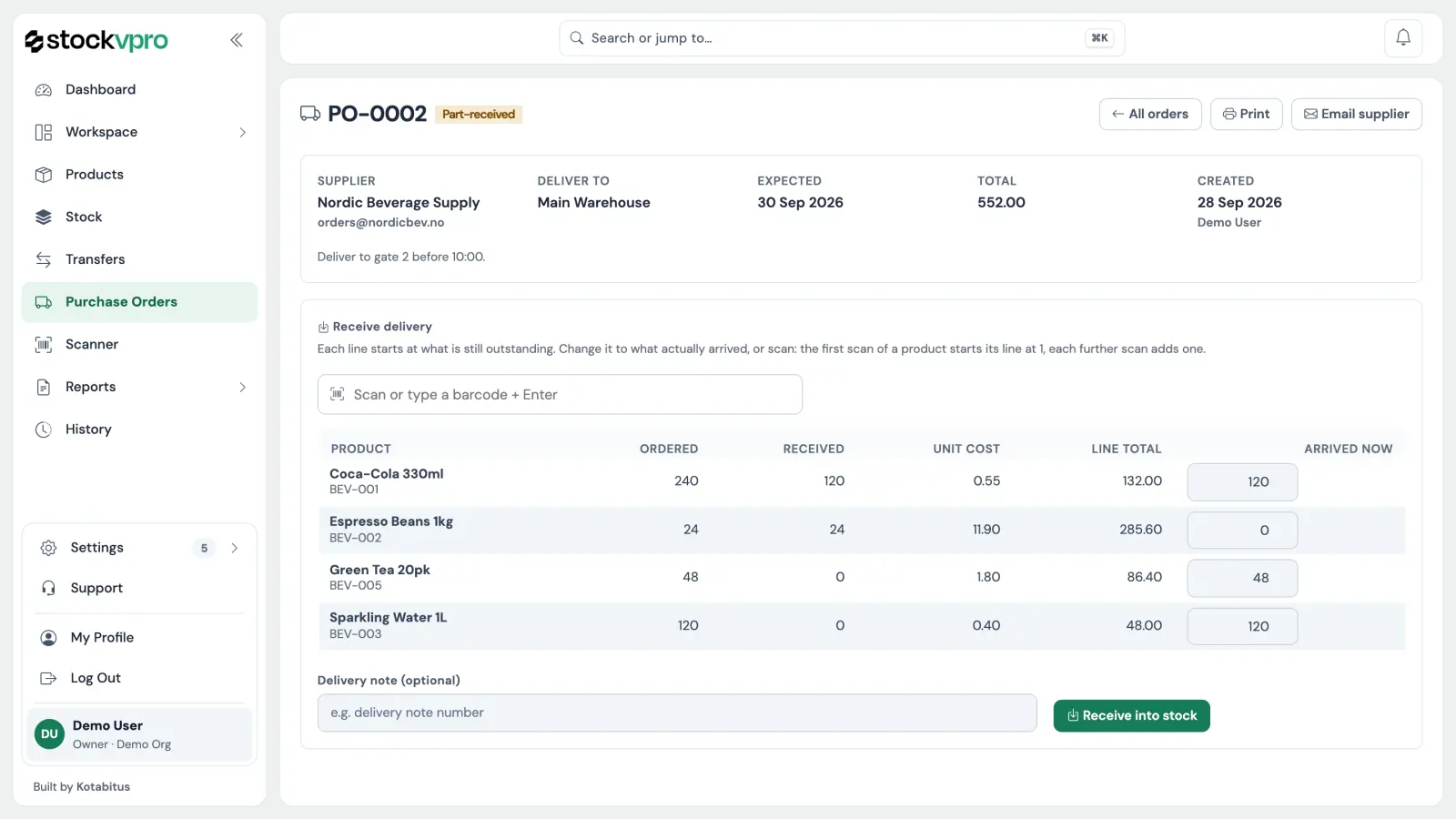
Receive a delivery, pick a customer order, or do a cycle count — all from the same scanner page on your phone. No native app, no scanner gun, no IT ticket.

  • Camera-based scanning on any iPhone or Android
  • Receive mode: count-up against expected deliveries
  • Pick mode: tick off lines as you fulfill an order
  • Count mode: compare physical vs system, flag the deltas
  • Every scan logged with who, when, where
Scanner WH-A · Receiving
Last scanSVP-00482
ProductOlive oil 750ml
Counted+24 / 24
Status✓ Receipt complete
Next item
Home Products Stock Scan More
05 / 06 Order Portal

Your B2B customers, ordering themselves.

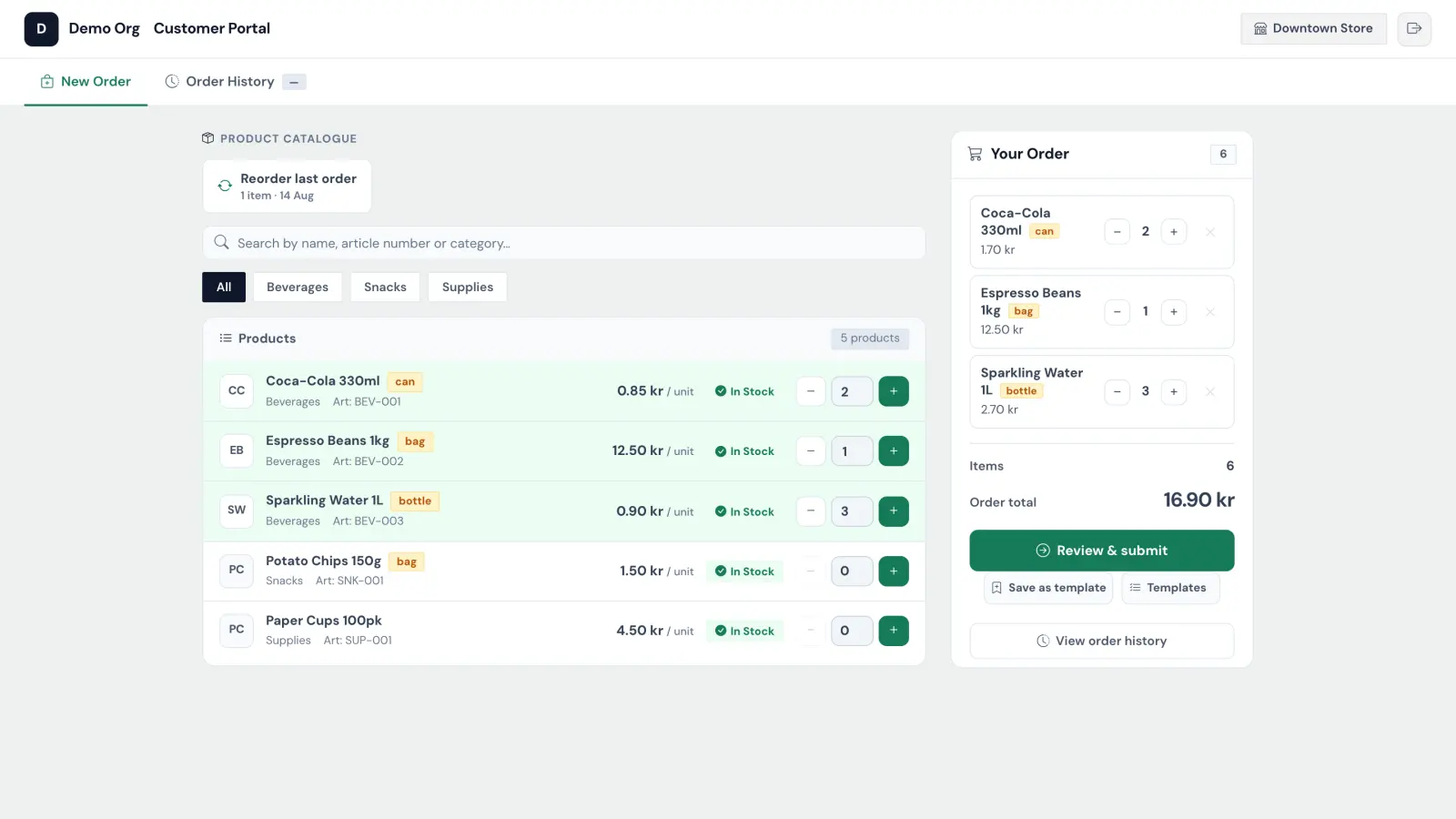
Send each customer their own link. They log in, browse your catalog at their prices, and submit orders straight into your workspace.

Stop being a phone-order operator.

Each customer gets a private storefront with the products they're allowed to see and the prices you agreed on. You get the order in your inbox with an email notification.

  • Per-customer access tokens — no public account creation
  • Per-customer pricing and catalog visibility
  • Orders show up in your workspace instantly
  • Email notification to you and the customer on submit
stockvpro · Customer portal
Acme Bistro · signed in
Browse catalog Reorder last
Olive oil 750ml
SVP-00482
€8.10
your price
Sea salt 1kg
SVP-00917
€1.95
your price
Honey 500g
SVP-01203
€9.50
your price
Cart subtotal €56.30
06 / 06 Team

Invite your crew, scope their access.

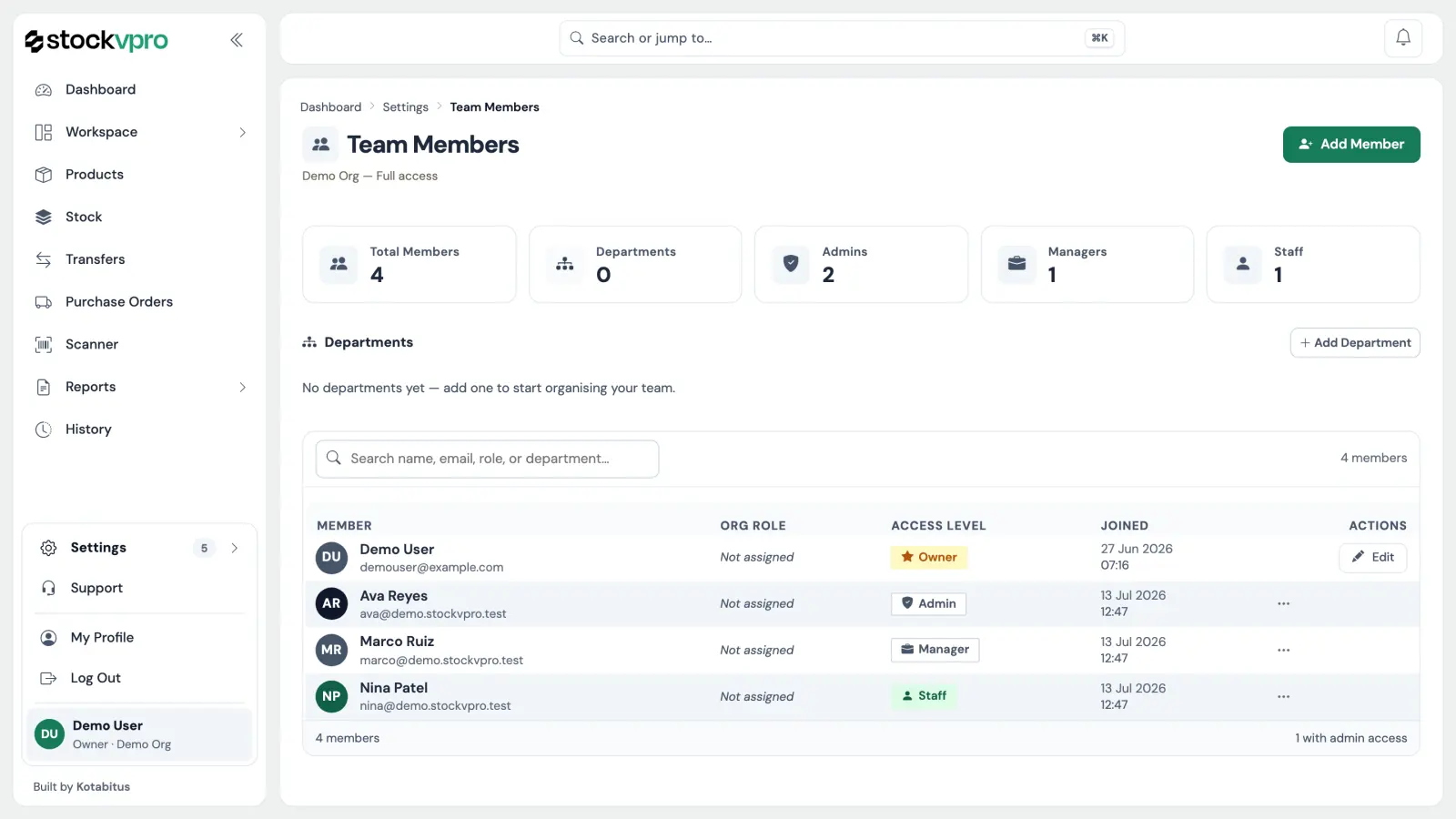
Owner, admin, manager, staff — four roles that decide who sees what. Two-factor auth available on every account.

stockvpro · /team

Team

Invite teammate
KT
Konstantinos · you
kthanasi@example.com
2FA on Owner
MK
Maria K.
maria@example.com · WH-A
2FA on Admin
YP
Yannis P.
yannis@example.com · Store #03
2FA off Manager
EL
Eleni L.
eleni@example.com · Accounting
2FA on Staff
nikos@example.com
Invite sent · 2 hours ago
Pending

The right people see the right things.

Permissions are baked in by role — staff can't see the books, accounting can't edit products. Add 2FA for the people who matter and you're set.

  • Four built-in roles: owner, admin, manager, staff
  • Email invitations with one-time tokens
  • Optional TOTP 2FA per account
  • Audit log shows who did what, when

Six pages. One workspace. Yours in two minutes.

Everything you just saw is what loads after you sign up. No setup wizard to slog through, no demo data to delete. Just the real app.

Free during beta No credit card Cancel any time

Questions, answered

What stockvpro is — and what it isn't.

What is stockvpro?
stockvpro is an inventory, warehouse, and order management system for small businesses. Track products and stock levels across warehouses and stores, scan barcodes, manage orders and transfers, and invite your team — all in one workspace.
Is stockvpro a stock trading, stock market, or finance app?
No. The "stock" in stockvpro means inventory stock — the goods a business keeps on hand. stockvpro is inventory and warehouse management software; it has nothing to do with the stock market, share trading, or financial investing.
Who is stockvpro for?
Small and growing businesses, retailers, and warehouses that need to track inventory and fulfil orders across one or more locations — without an expensive, complex enterprise system.
What can I do with stockvpro?
Track stock levels per warehouse and store, move goods with auto-completing transfers, scan barcodes from your phone, manage orders, print labels, and run reports — with per-role access for your team.
How much does stockvpro cost?
stockvpro is free to use during the open beta — no credit card required.

We use cookies to keep you signed in and to run this site. With your consent we may also use cookies for analytics. See our Cookie Policy.